Manage Libro · 6 min
Manage company settings
Keep company identity, accounting rules, signatories, and branding accurate.
Know what each area controls
Open Company settings from the active workspace. General contains business identity and contact information. Accounting contains the fiscal and bookkeeping configuration. Members controls company access. Signatories prepares names and titles used on formal outputs. Data & backup protects portability. Advanced contains high-impact actions.
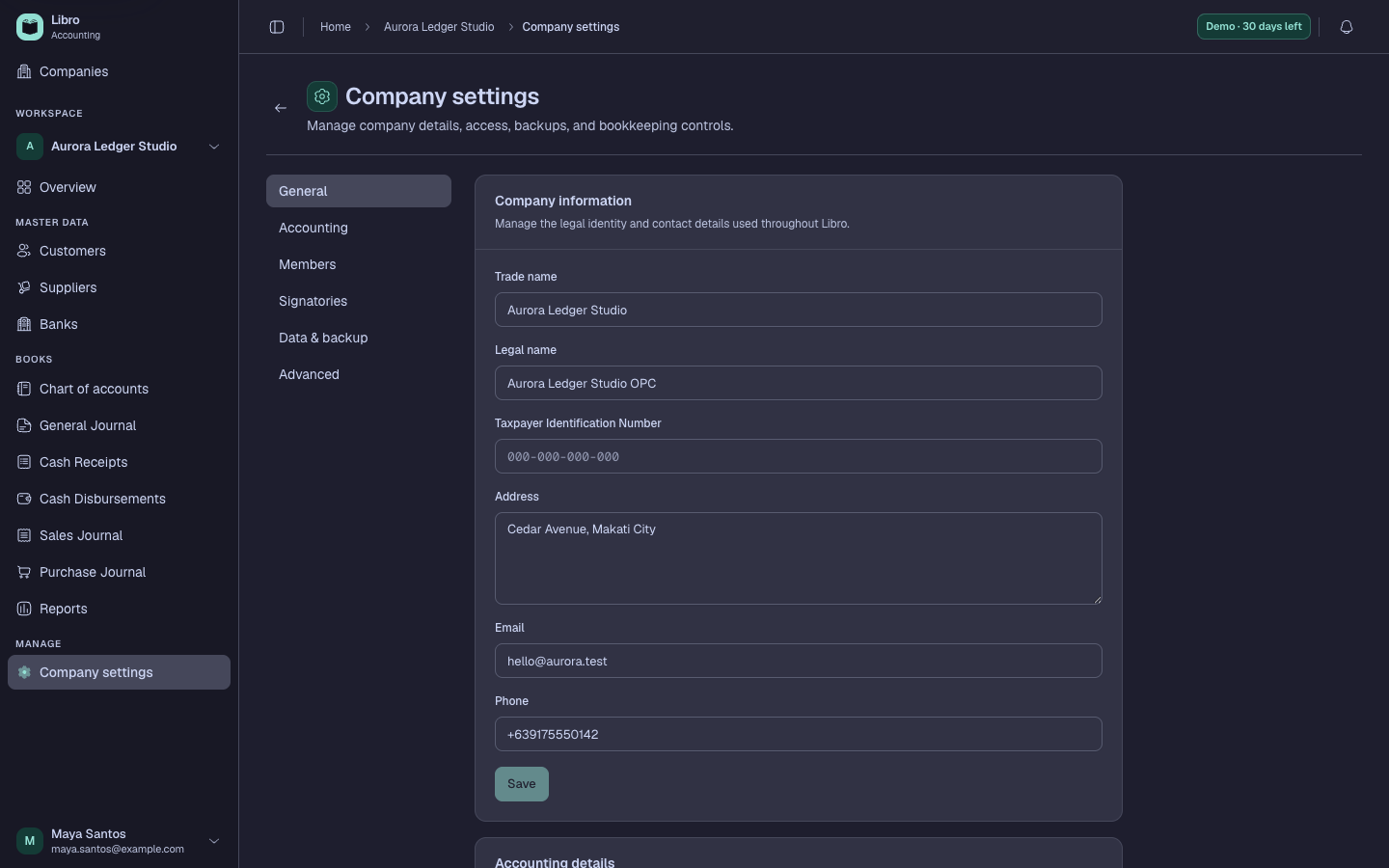
Upload a company logo with enough resolution for export, then check how it appears on the intended output. Review the registered name, TIN, address, and Signatories before producing formal reports.
Change accounting choices carefully
Settings such as currency, fiscal year, and bookkeeping behavior affect how users interpret the workspace. A currency change alters display context; it does not convert historical values using exchange rates. Coordinate structural changes with the company owner or accountant and document the effective date.
Personal profile, appearance, notifications, password, connected apps, and billing are under your account menu, not Company settings.